





XKAH Pro Replacement Battery


About XKAH Pro Replacement Battery
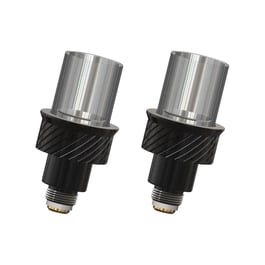
The XKAH Pro Replacement Battery is the official 13,600mAh rechargeable battery for the XKAH Pro portable hookah. It clicks into the device's heating head, releases with the back button, and charges via a USB-C port, so you can charge a spare battery while another powers your session.
Product Questions
Technical Specs
- Brand XKAH
- Power Options Replaceable battery
Customers also viewed






Additional information about XKAH Pro Replacement Battery
Table of Contents
- You Should Buy the XKAH Pro Replacement Battery If…
- How to Install the XKAH Pro Replacement Battery
- One Battery or Two
- Storing and Caring for the Battery
- Compatibility
You Should Buy the XKAH Pro Replacement Battery If…
Your original battery has been lost or damaged, or it falls well short of its rated two hours even after a full charge. It can also be used as a spare to ensure long sessions don't need to be cut off early. With a second battery on hand, you can run back to back 90 minute sessions without an issue.
How to Install the XKAH Pro Replacement Battery
You can swap the battery without tools, and a mid-session swap lets you pick up where you left off.
Step 1: Charge the new battery fully through its USB-C port before its first use.
Step 2: Press the upper button on the back of the XKAH Pro. The old battery pops off and lifts out easily.
Step 3: Remove the protective cover from the underside of the new battery if you haven't already, then wipe its contact points and the battery compartment with a dry cotton swab if needed.
Step 4: Align the battery pin with the pin inside the heating head and press the battery in until it clicks. After a mid-session swap, the XKAH Pro restarts and asks whether to keep smoking or start over; choose “keep smoking” and confirm with the middle button.
One Battery or Two
A full charge is measured at up to 120 minutes, depending on the temperature and session length you set. That covers about two bowls in Classic Mode's fixed 50-minute session, fewer at high Custom temperatures or long timers. A full recharge takes about 100 minutes, and 30 minutes on the charger gets it to roughly half. With a second battery, you can comfortably run through 2 back-to-back 90-minute sessions.
Storing and Caring for the Battery
Take the battery out after every session. Leaving it in the unit keeps an internal spring compressed, which can shorten its lifespan. Avoid running it down to 0% or leaving it empty for long periods, as a fully drained battery may permanently lose some of the charge it holds. Keep the battery and its USB-C port dry. To protect itself and the device, the battery stops supplying power when it’s colder than -20°C (-4°F) or hotter than 65°C (149°F).